Blog published in Buying property abroad
Share
European property search with local market data and pricing history
Search across 200,000+ European properties with local price trends and asking-price history. Compare markets, set alerts, and negotiate with real data, not guesswork.

You've found a property listed at €285,000 in coastal Portugal. Is that a fair price? Has it dropped from €320,000 over the past year, or was it €260,000 six months ago before a sudden jump? Without local market context and pricing history, you're negotiating blind.
Homestra is built to fix exactly that. As Europe's leading cross-country platform for second homes and international buyers, Homestra gives you pan-European property search combined with local market intelligence and pricing history in a single, uninterrupted workflow. Over 200,000 properties. Real price context. No more juggling five different country portals.
Search across Europe with local market context built in
Most buyers searching for a second home abroad hit the same wall: the listing portals in each country tell you what's available, but not whether the price is reasonable for that neighborhood, how long the property has been sitting, or which direction prices are moving.
Homestra closes that gap. When you search, you're not just browsing listings. You're seeing local market data layered into the results so you can judge whether a property is priced in line with its micro-market, above it, or below it.
What "pricing history" actually means on Homestra
The term gets used loosely, so it's worth being precise. On Homestra, pricing history refers to the tracked asking-price changes on a specific listing over time (price reductions, increases, or relists) combined with broader area price trend data drawn from transaction indices.
For reference, Eurostat's House Price Index (HPI) is a quarterly indicator that measures changes in dwelling transaction prices that households acquire on the market. The Owner-Occupied Housing Price Index (OOHPI) measures changes in prices paid by households for net acquisitions, using the "net acquisitions" approach. Homestra incorporates trend signals informed by these methodologies to give you a directional read on whether a local market is cooling, stabilizing, or still rising.
What you won't find here is a guarantee that any single property will sell at a given price. Pricing history is a negotiation tool, not a valuation certificate. Used correctly, it tells you when to move fast and when to wait.
Before Homestra: You research Idealista for Spain, ImmobilienScout24 for Germany, Rightmove for UK rural listings, Immo Web for Belgium, and then spend another hour trying to piece together whether prices in your target area are trending up or down.
With Homestra: One search. Filters refined to your criteria. Pricing history visible on the listing detail. Local market snapshot for the neighborhood. Shortlist ready.
Filters and features designed for cross-border buyers
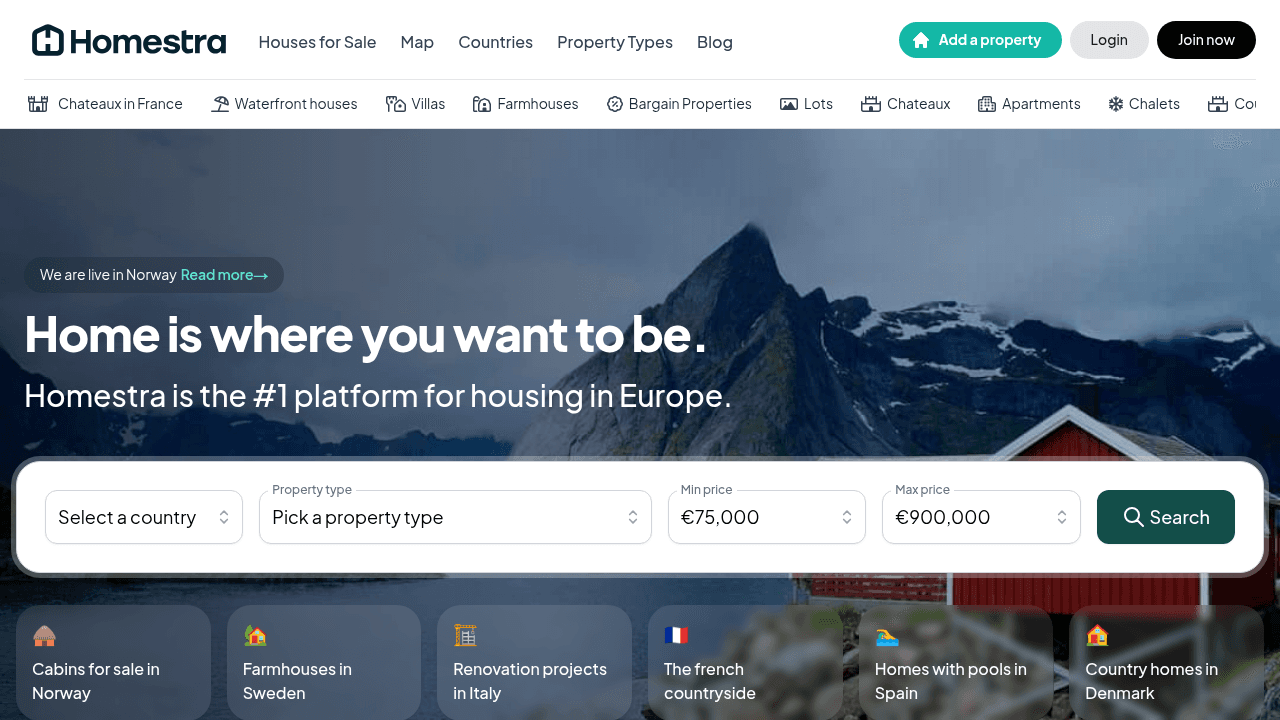
A property search tool that includes local market info and pricing history is only useful if the filters are precise enough to surface the right properties in the first place. Here's how the Homestra search workflow is structured:
Location: from country to neighborhood
Start at the country level, then drill into region, city, or specific neighborhood. Prefer visual exploration? Switch to the map view and browse by geography. You can draw a radius around a specific point, a town center, a lake, or a ski resort, so you only see properties within a realistic distance of wherever matters to you.
Property filters that match real second-home priorities
- Property type: house, villa, chalet, apartment, cottage, farmhouse
- Price range (set your floor and ceiling in your preferred currency)
- Bedrooms and bathrooms
- Interior size and plot/land size
- Specific features: proximity to water, heating systems, solar, private well, off-grid capability
That last category matters more than most portals acknowledge. Buyers looking at rural or seasonal homes need to know a property has a reliable heating system, its own water supply, and proper winterization. These aren't premium extras in a Swedish fritidshus or a French mountain chalet; they're basic livability requirements. Homestra's filters let you set them as non-negotiables from the start.
Map search, radius selection, and flexible criteria
The interactive map view shows listings as clusters that thin out as you zoom in, so you get a genuine sense of supply density across a region before committing to a specific area. Set a radius around a village, a coastline, or a transport hub and the results update in real time.
This is particularly useful for international buyers who are still orienting geographically. You might not know exactly which Swedish coastal municipality you want, but you know you want to be within 30 minutes of a ferry terminal. The map radius tool makes that kind of spatial search practical.
Pricing history in the listing detail: what to look for
When you open a property detail page, the pricing history panel shows you how the asking price has moved since the listing went live. A steep downward trajectory over several months suggests a motivated seller or an overpriced listing that the market rejected. A recent price increase on an otherwise static listing can signal renewed agent interest or a relisted property trying a fresh start.
The local market trend data alongside it gives you the broader context: whether prices in that area have been rising or falling over recent quarters, informed by transaction-level indices. Together, these two signals help you decide whether to book a viewing urgently, negotiate harder, or move on.
A useful rule of thumb: a listing that has dropped 10-15% from its original asking price, in a market where area-level data shows flat or declining trends, gives you meaningful room to negotiate below the current ask.
Saved searches and price alerts
Once you've built a search that reflects your criteria precisely, save it. Homestra stores your search parameters so you can return to the same filtered view without rebuilding it each time.
Set an alert on a saved search and you'll be notified when new listings appear that match your criteria, or when a listing you've favorited changes price. For international buyers who aren't physically on the ground, this is the equivalent of having a local agent scan the market daily on your behalf.
Why international buyers need more than a listings portal
Buying property across a border introduces uncertainty that domestic buyers rarely face. You don't have an instinctive feel for what's normal in a Valencian coastal town or a rural Swedish county. Local pricing norms, seasonal supply patterns, and neighborhood dynamics are invisible to outsiders.
The standard response is to rely on a local agent entirely. That works, but it also puts you in a weaker negotiating position before you've even started. Coming to your first viewing with at least a working knowledge of local price trends and recent transaction history changes the dynamic entirely.
Homestra provides that grounding layer. Three scenarios show how it works in practice:
Scenario 1: Winter-ready rural retreat in Scandinavia
You're searching for a fritidshus in rural Sweden. Sweden imposes no restrictions on foreign ownership, but the buying process requires navigating legal checks, professional inspections (besiktning), a formal contract (köpekontrakt) with roughly 10% of the purchase price due as a deposit on signing, and eventual title transfer (lagfart) with stamp duty at 1.5% plus a fixed registration fee of 825 SEK.
Before any of that, you need to know whether the property is viable. Filter for confirmed heating system type, private well or municipal water connection, and septic system. Then pull up the pricing history. If a property in rural Dalarna has been listed for eight months with two price reductions, you have context the seller doesn't want you to have. Use it.
Scenario 2: Coastal apartment search across multiple countries
You're open to southern France, northern Spain, or the Algarve. You want to compare price momentum across all three without running three separate searches on Idealista, SeLoger, and Idealista Portugal. On Homestra, you set your criteria once, apply the map view to see supply across all three regions simultaneously, and use the local market data panels to compare price direction before shortlisting. This is where a pan-Europe property search platform with pricing history genuinely saves weeks of manual research.
Scenario 3: Investment property with price trend validation
You're considering a rural stone house in the Italian Piedmont. The asking price looks reasonable, but you don't know if prices in that micro-market have been rising or if the area is oversupplied. The pricing history on the listing shows it was relisted three months ago at a 7% reduction. The area trend data shows flat-to-declining movement over the past two quarters. You adjust your offer accordingly.
How the data works: sources and transparency
Homestra's local market data draws on a combination of listing history (derived from property portal data) and broader transaction-level trend signals informed by official index methodologies including Eurostat's quarterly HPI framework. The HPI tracks changes in dwelling transaction prices at the country and regional level, and those directional signals feed into the market context you see alongside listings.
A few honest caveats worth noting:
- Asking-price history reflects what sellers and agents chose to list at, not confirmed sale prices. In many European markets, transaction data lags by months or isn't publicly available at the neighborhood level.
- Area price trend data is directional, not precise. It tells you whether a market is moving up, down, or sideways; it doesn't predict what any individual property will sell for.
- Refresh cadence varies by country and data availability. Markets with strong public transaction registries (Sweden, the Netherlands, the UK) tend to have more granular historical data available than markets where sales are recorded privately.
Knowing these limits makes the data more useful, not less. You're using pricing history to calibrate your instincts and your negotiating position, not to replace a professional valuation.
The full search workflow, step by step
Most buyers who find Homestra for the first time don't realize there's a structured workflow available to them. Here's what it looks like end to end:
- Set your location and map radius. Start broad, zoom in as your priorities clarify.
- Apply property filters including price range, type, size, and must-have features (heating, well, proximity to water).
- Review the results list with local market snippets visible for each area. Note which areas show rising versus cooling price trends.
- Open listings that match and examine the pricing history panel. Look for patterns: how long it's been listed, whether the price has moved, and in which direction.
- Save your search so you can return to the same filtered view and track changes over time.
- Set an alert so you're notified of new listings or price changes in your target area.
- Save favorites and contact the listing agent directly from the property detail page when you're ready to move from research to viewing.
That flow, from blank slate to a shortlist with price context and a live alert running, takes most buyers under 20 minutes on Homestra.
Start searching with local market data and pricing history
Europe's property market in 2026 is generating more data than ever, but most portals still surface only the headline listing. Property search tools in Europe that include local market data and pricing history in a single workflow remain rare. Homestra is one of them.
Whether you're comparing micro-neighborhood pricing across three countries or drilling into the historical transaction context behind a single listing in rural Sweden, the information you need to decide is here.
Try searching with local market info and pricing history. Browse over 200,000 properties across Europe, apply the filters that match your real priorities, and start every viewing with context rather than guesswork.
Save your criteria and get alerts in your target area. When the right listing appears or a price moves in your direction, you'll know about it before anyone else does.
Shortlist with confidence across Europe.
Frequently asked questions
What is pricing history on a property listing? Pricing history shows how a property's asking price has changed since it was first listed. On Homestra, this is displayed as a timeline on the property detail page, letting you see price reductions, increases, and relistings at a glance.
Does Homestra show sold prices or only asking prices? Homestra displays asking-price history (changes to the listed price over time) alongside area-level trend data informed by transaction indices including Eurostat's quarterly House Price Index framework. In markets where public transaction data is available at the local level, that data informs the market context shown. Confirmed sold prices depend on public registry availability by country.
Which countries does Homestra cover? Homestra covers properties across Europe, with over 200,000 listings available across multiple countries. Use the map view to explore country and regional coverage for your specific target area.
What is the Eurostat HPI and why does it matter for buyers? Eurostat's House Price Index (HPI) is a quarterly indicator that measures changes in dwelling transaction prices that households acquire on the market. It's one of the most reliable directional signals for understanding whether property values in a given country or region are rising, falling, or holding steady. Homestra's area trend data draws on index methodologies like this to give buyers a credible directional read.
Can I search across multiple countries at once? Yes. Homestra's map-based search lets you set a region that spans borders or browse multiple countries simultaneously. You can also save separate searches for different target markets and manage them from your account.
Is Homestra free to use? Browsing and searching Homestra's listings is free. Create a free account to save your searches and set up price and listing alerts.
Share